01
Set up the account and team
Give new customers a clear starting point, make collaboration visible, and surface letter and fund usage in the team dashboard.
Switch by Quadient / Digital mail SaaS
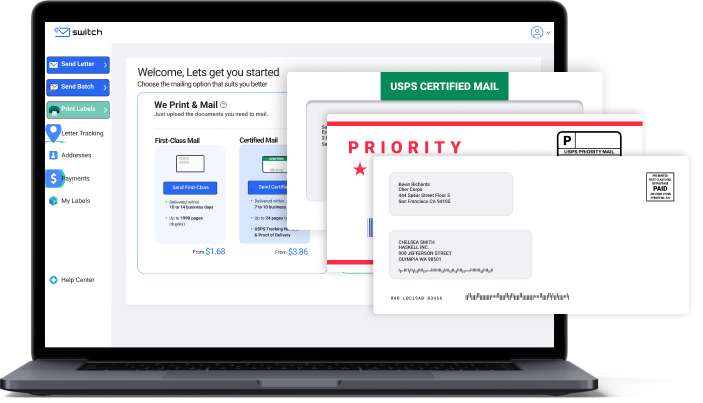
I designed across the Switch experience to help businesses prepare, send, and track physical mail without relying on printers, postage equipment, or repeated trips to the post office.
01 / Context
Sending a business letter involves much more than uploading a file. Customers need accurate addresses, the right printing and mailing options, dependable payment, and visibility after the letter leaves their hands.
Switch brought those dependencies into one browser-based service for First Class, Certified, and Priority Mail. The product challenge was to preserve that operational depth while making the experience feel straightforward and safe.
Public product scale
By March 2023, Quadient reported that more than 20,000 customers had signed up for Switch. At that scale, consistent guidance, error prevention, and clear status feedback were essential parts of the product experience.
View Quadient's public announcement02 / Competitive frame
I reviewed Stamps.com as a key market reference, looking at established patterns for contact management, address verification, mailing-service selection, postage, and tracking. That analysis clarified both what customers would already recognize and where a browser-based workflow could feel more guided.
Switch kept the operational safeguards people expected while organizing them around the task of sending a document. The goal was a clear sequence, not a feature-for-feature copy of an incumbent shipping tool.
View the Stamps.com product reference03 / Core workflow
My work spanned the product's connected account, contact, document, mailing, payment, and reporting experiences. These publicly released interface walkthroughs show the breadth of that system.
Give new customers a clear starting point, make collaboration visible, and surface letter and fund usage in the team dashboard.
Turn a bulk contact upload into a manageable address book, with USPS verification presented before customers commit to a mailing.
Connect document upload, sender and recipient details, print choices, mailing service, and the final send action in one understandable sequence.
Keep delivery status, account funds, payments, and reusable mailing lists accessible after a letter has been sent.
04 / Design priorities
Each stage needed a clear primary action and enough context to move forward without learning postal terminology first.
Address verification, document details, service options, and cost information help customers catch expensive mistakes before submission.
Tracking, team activity, funds, and mailing lists extend the experience beyond checkout into the daily work of managing mail.
05 / Contribution
I owned UI design across onboarding, document preparation, address verification, mailing choices, payment, account management, and reporting. The connected scope required reusable patterns and close collaboration with engineering so improvements remained practical to build and consistent in production.
The result is a strong example of the work I do best: making a complex operational system feel understandable without stripping away the controls people need.
Next case study